
Acctivate News
Built For

User Management and Preferences
Acctivate system administrators and users now have a more efficient way to manage user information.
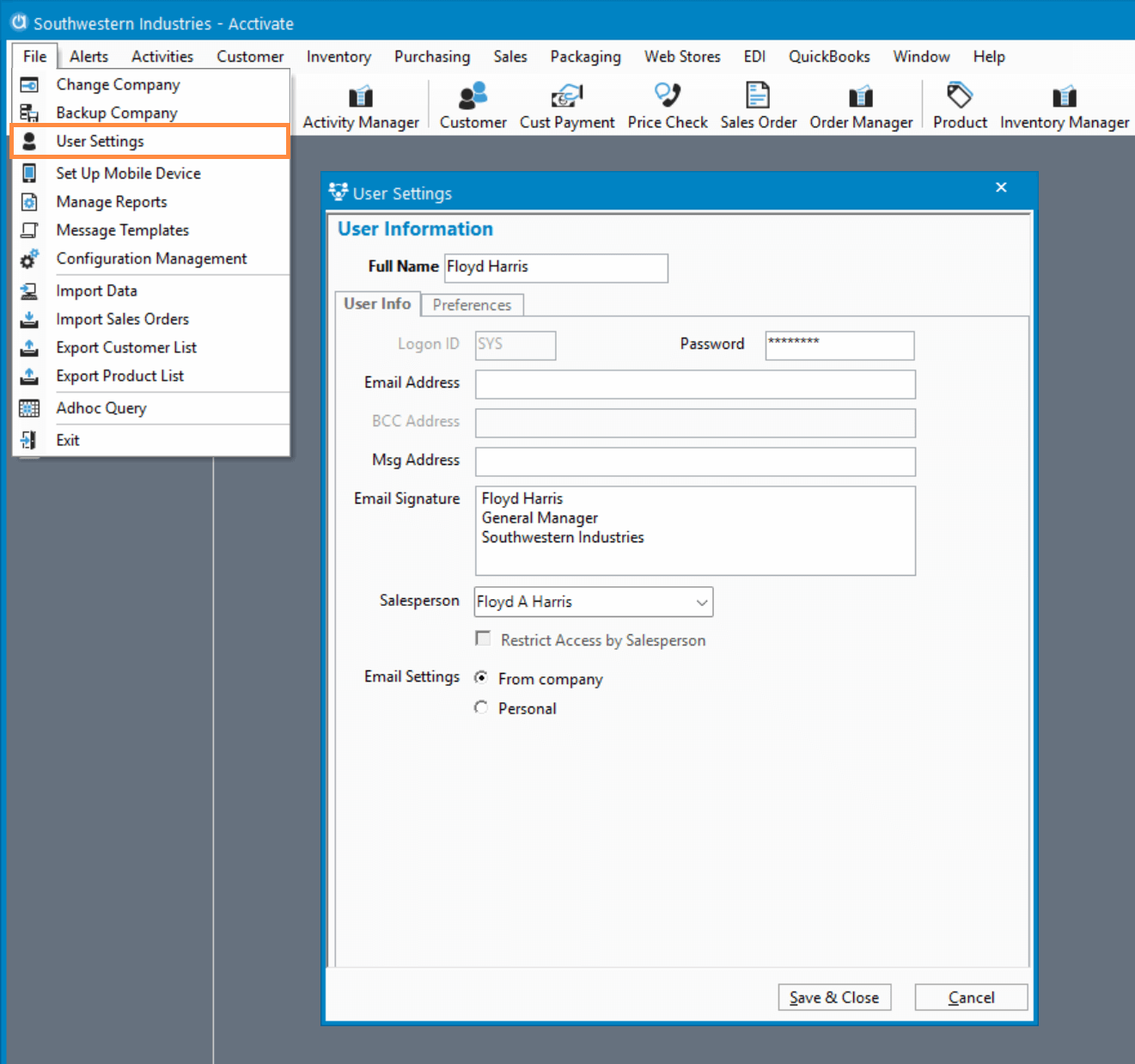
All users will have direct control over managing their user information by selecting Manage User from the File menu.
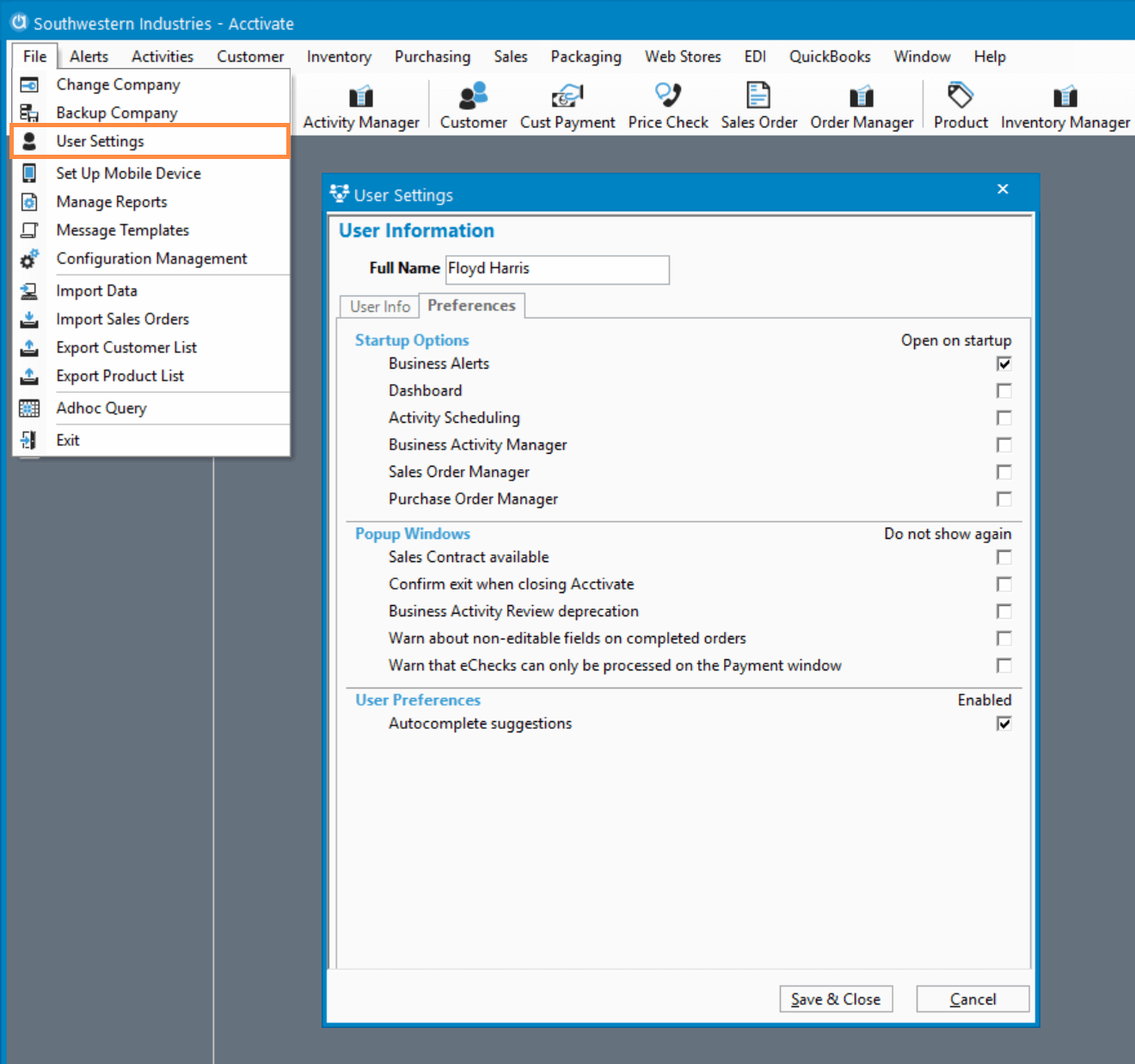
The Manage User window allows users to change their password, setup and configure email settings, and manage their startup options. Additionally this update includes a feature not previously available in Acctivate, the ability to manage user preferences, such as re-enabling warnings and notifications that had been dismissed by the user.
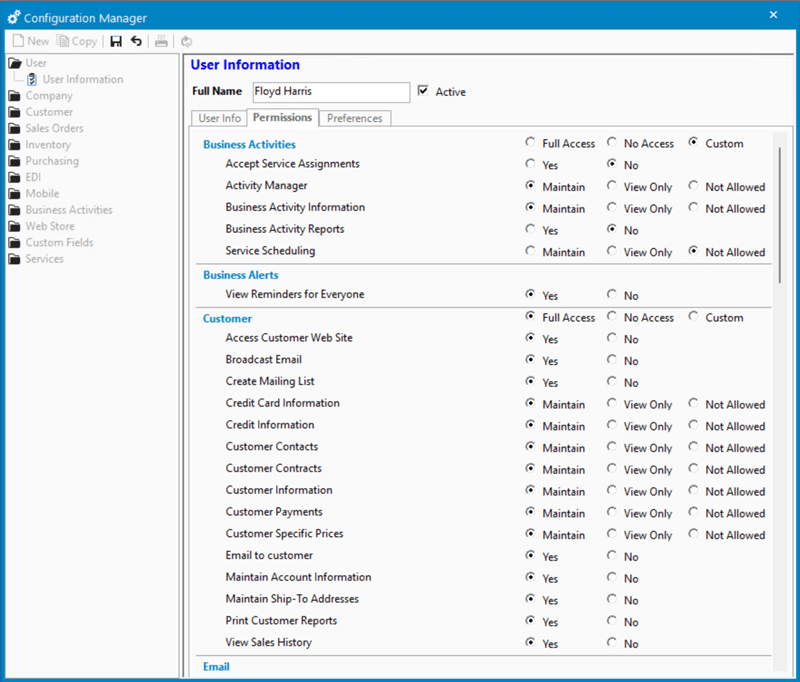
Setting up and managing user information has also become easier for system administrators. In the Configuration Manager, user permissions can be controlled and customized at a granular level for a customized experience, or administrators can grant Full Access or No Access to an entire area of the system with a single click.
These changes make it easier to onboard Acctivate users while maintaining control over access.

Related Posts
-
Version 16 Available!
Acctivate Version 16 is available for download! Be one of the first to get your hands on exciting new features and changes, including:
-
Acctivate Query – Turn Raw Data into Answers You Can Use
Every business runs on data, but not every question you have fits neatly into a pre-built report. Maybe you need last quarter’s invoice totals broken…
-
Expanded Support for QuickBooks Online Custom Fields
Your Custom Fields, Perfectly Synced, Now Without Limits Every business tracks the details that matter most to them, whether that’s a sales rep, a project…
Call us at 817-870-1311