
Acctivate News
Built For

Stay Organized and Compliant with Lot / Serial Attachments
Every Document, Right Where the Lot Lives
Certificates of analysis. Compliance paperwork. Spec sheets. Photos. The documentation tied to a single lot or serial number can pile up fast, and when it’s scattered across shared drives, inboxes, and file folders, finding the right document at the right moment becomes its own job.
With Acctivate’s integration to Microsoft OneDrive/SharePoint, you can attach files directly to the Edit Lot/Serial Number window, so the paperwork lives with the lot it belongs to. Need to pull up a certificate of analysis during an audit, or confirm a compliance document before a shipment goes out? It’s right there, attached to the exact lot in question, no digging required.
This isn’t just about convenience. For regulated industries and quality-driven operations, having documentation instantly accessible at the lot level means faster audits, stronger traceability, and confidence that the right paperwork is always tied to the right inventory.
Getting Started
To get started, integrate Acctivate with a File storage service, such as a Microsoft 365 OneDrive / SharePoint account.
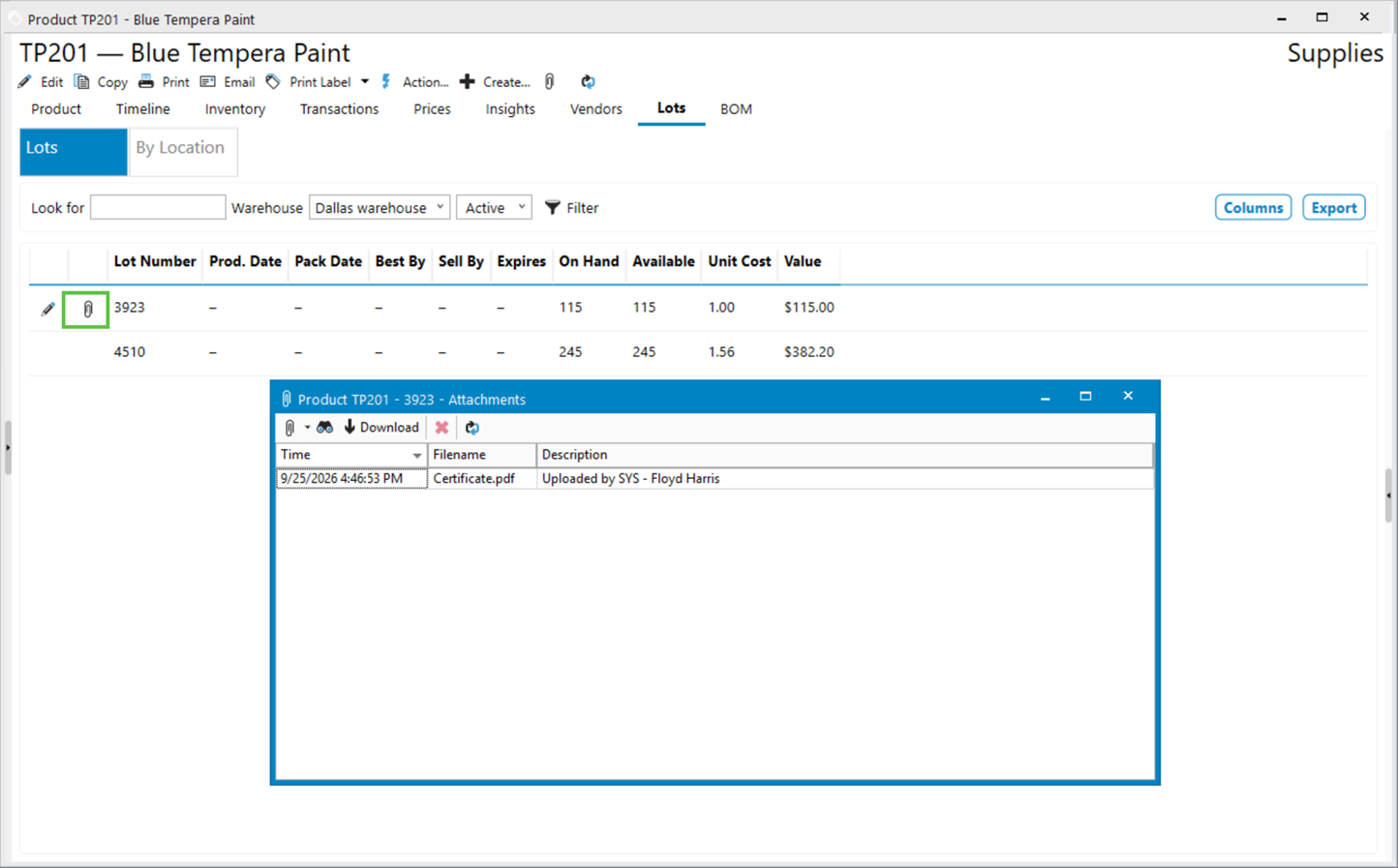
Once integrated, open the Product list from the left navigation menu in Acctivate and click on the Lot / Serial #s tab. As you hover over a lot row, the paperclip attachment button will appear in the far left of the grid. Click this button to open the Attachments window where you can attach files specifically to this lot/serial number.
Just like attachments throughout the system, you can quickly view the attachments from this window or download them to you local computer.

Related Posts
-
Version 16 Available!
Acctivate Version 16 is available for download! Be one of the first to get your hands on exciting new features and changes, including:
-
Acctivate Query – Turn Raw Data into Answers You Can Use
Every business runs on data, but not every question you have fits neatly into a pre-built report. Maybe you need last quarter’s invoice totals broken…
-
Expanded Support for QuickBooks Online Custom Fields
Your Custom Fields, Perfectly Synced, Now Without Limits Every business tracks the details that matter most to them, whether that’s a sales rep, a project…
Call us at 817-870-1311