
Acctivate News
Built For

Acctivate Query – Turn Raw Data into Answers You Can Use
Every business runs on data, but not every question you have fits neatly into a pre-built report. Maybe you need last quarter’s invoice totals broken out by state. Maybe you want to see order history for a handful of specific customers, sorted your way, exported straight to Excel. Whatever the ask, the answer usually involves waiting on IT or reworking numbers by hand.
Acctivate’s built-in Query utility puts that power back in your hands.
Your Data, Your Way
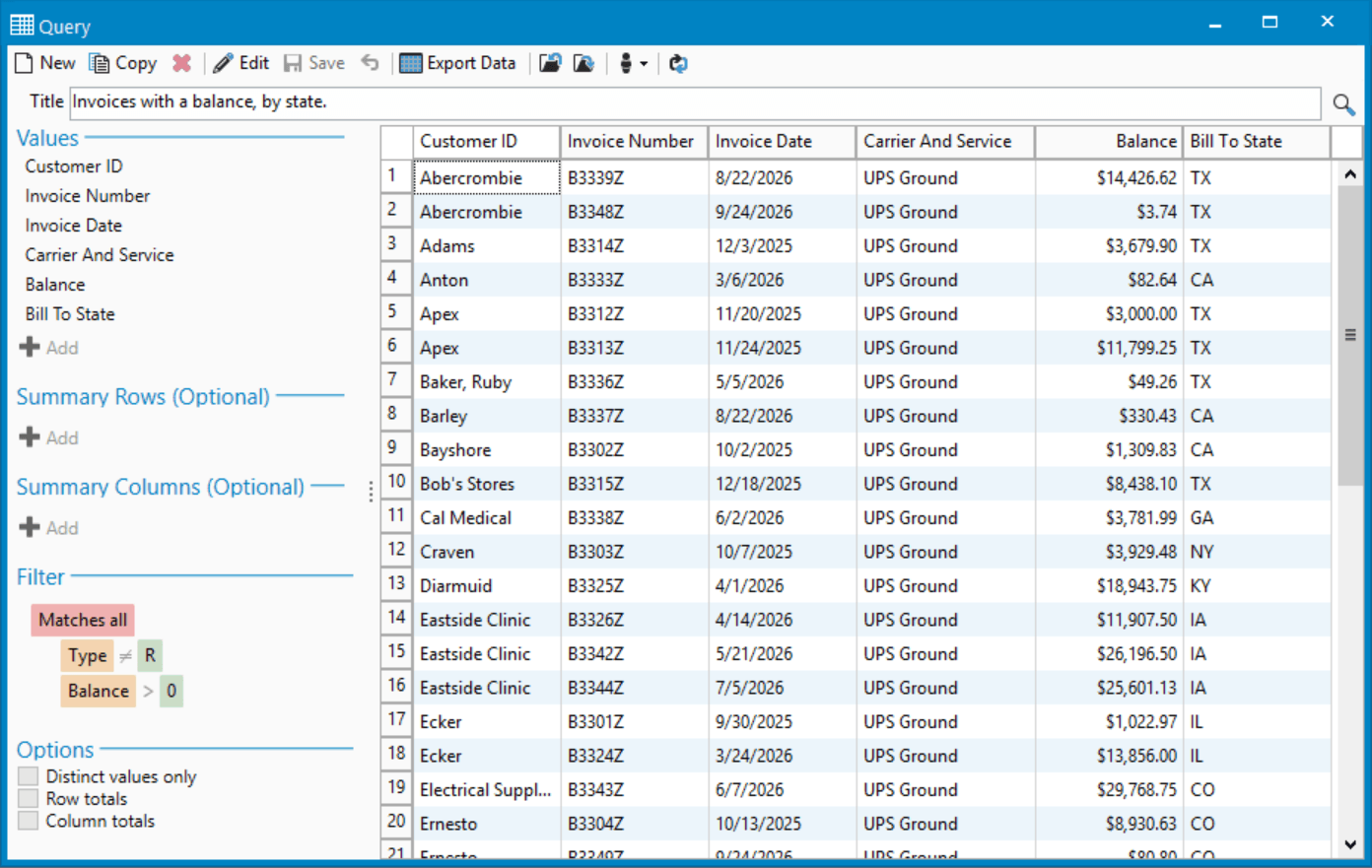
Query lets you pick exactly the tables and fields you care about and pull the results into a clean, tabular view, no SQL required. Want to see order totals summarized by customer class? Done. Need shipment counts broken out by state? A few clicks and it’s on your screen.
You control what you see:
- Choose your fields. Select the tables and columns that matter to you and build a custom view of your data.
- Summarize on the fly. Roll results up by row or by column, whether that’s revenue by class, order counts by region, or anything in between.
- Filter with precision. Narrow results down to exactly the records you need.
- Export instantly. Send your results to .csv, .xls, .xlsx, and more, ready to share or drop straight into a spreadsheet.
Save It Once, Use It Forever
Build a query today, save it, and it’s there whenever you need it again. No rebuilding from scratch every time you want the same view of your business. And because access is controlled per user, you decide who can simply view a saved query and who can dig in and edit it.
Need the same view across multiple Acctivate companies? Queries can be exported and imported between them, so a report built once doesn’t have to be built twice.
Built for the Way You Already Work
If you’ve ever built a pivot table or filtered a spreadsheet, Query will feel instantly familiar. It’s designed for business users, not database administrators, so you can get answers the moment a question comes up instead of putting in a request and waiting.
Ready to see what Query can do for your business? Log in to Acctivate and open Query from the File menu, or check out our step-by-step guide to build your first custom report.

Related Posts
-
Version 16 Available!
Acctivate Version 16 is available for download! Be one of the first to get your hands on exciting new features and changes, including:
-
Expanded Support for QuickBooks Online Custom Fields
Your Custom Fields, Perfectly Synced, Now Without Limits Every business tracks the details that matter most to them, whether that’s a sales rep, a project…
-
Purchasing Notes You Won’t Miss
Important context about a purchase order or vendor shouldn’t get buried where no one sees it, especially when using batch ordering tools such as the…
Call us at 817-870-1311