
Acctivate News
Built For

New Streamlined Edit Customer window
COMING IN VERSION 15
Acctivate’s redesigned Edit Customer window delivers a streamlined interface for creating and managing customer information.
By removing read-only data — which is available in the Customers list — the Edit Customer window becomes a purpose-built workspace focused entirely on editable fields. The layout has been reimagined with related fields more thoughtfully grouped and fewer tabs overall, making it faster and easier to create new customers or update existing records.
The Edit Customer window establishes the foundation for customer management. Additional related records — including Ship-To addresses, Customer Price Rules, Customer Contacts and Customer Product IDs — can be created from the Customers list or edited directly from their corresponding tabs within the customer record.
Follow these steps to create or edit customers using the new Edit Customer window:
- Create customers using the new window – Use the left menu to open the Customers list, then click New Customer at the bottom of the left pane.
- Edit customer using the new window – While viewing customers in the Customers list, click the Edit button.
The legacy Edit Customer window is still accessible through the Customer menu at the top of Acctivate.
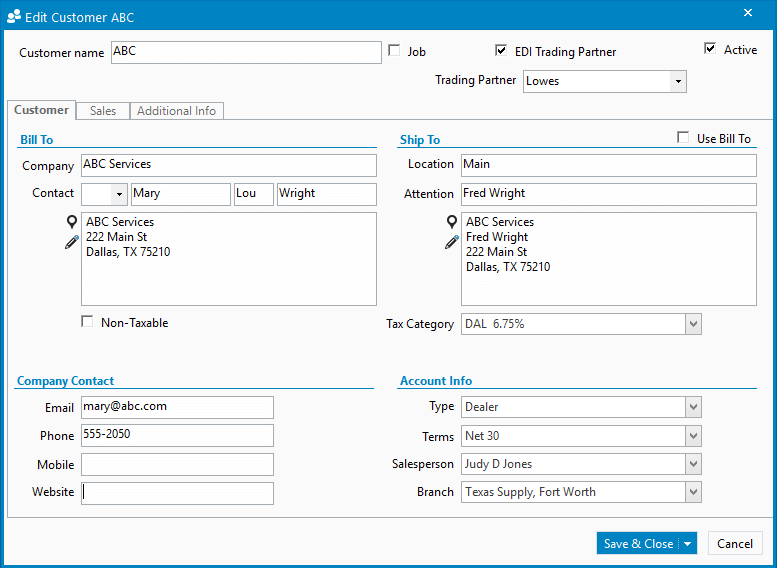
The new, simplified Edit Customer window makes it easier to manage primary information. 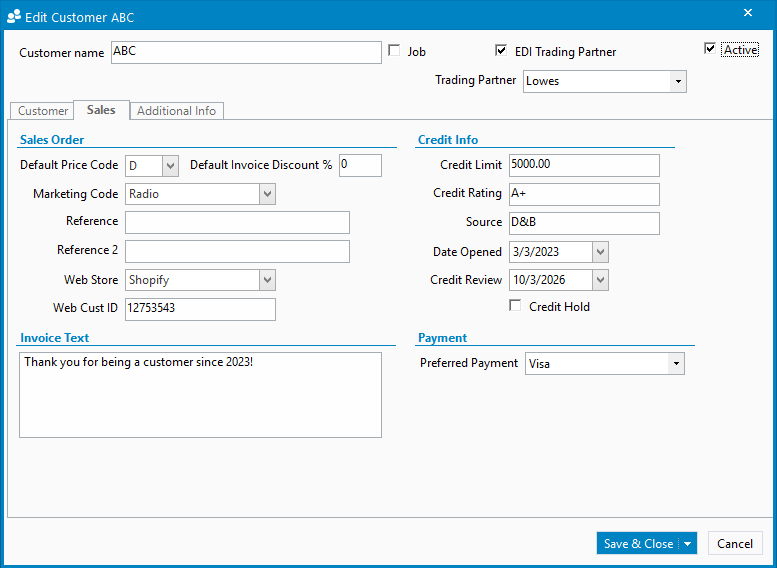
Customer details are organized so that users have viewer tabs to navigate. 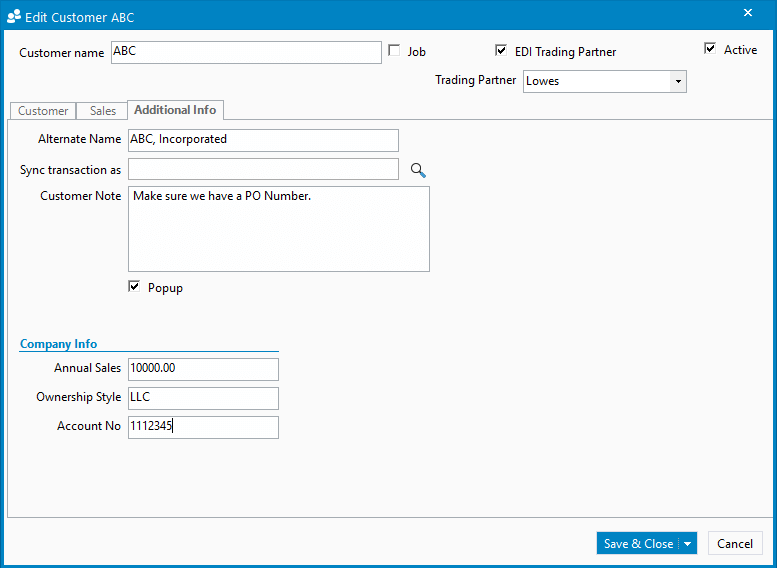
Use Save & Close after editing or Save & New to quickly create a new customer.

Related Posts
-
Version 15 Now Available!
Acctivate Version 15 is available for download as a Preview! Be one of the first to get your hands on exciting new features and changes,…
-
Automated Sales Tax with QuickBooks Online
COMING IN VERSION 15 We’re excited to introduce a powerful new enhancement to Acctivate — our QuickBooks Online Automated Sales Tax (AST) integration. This new…
-
Consolidated Journals with QuickBooks Online
COMING IN VERSION 15 Acctivate and QuickBooks Online is a powerful combination. Acctivate manages the operational complexity of inventory, warehousing, purchasing, and order fulfillment, while…
Call us at 817-870-1311