
Acctivate News
Built For

Mobile Picking Pre-selected Lots
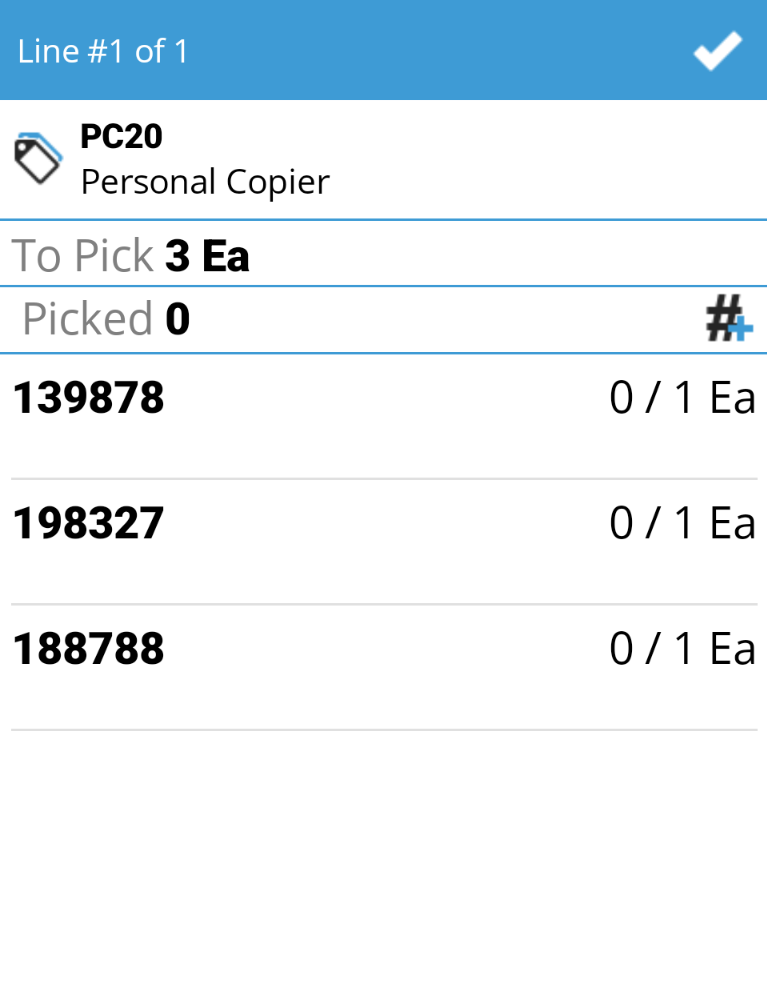
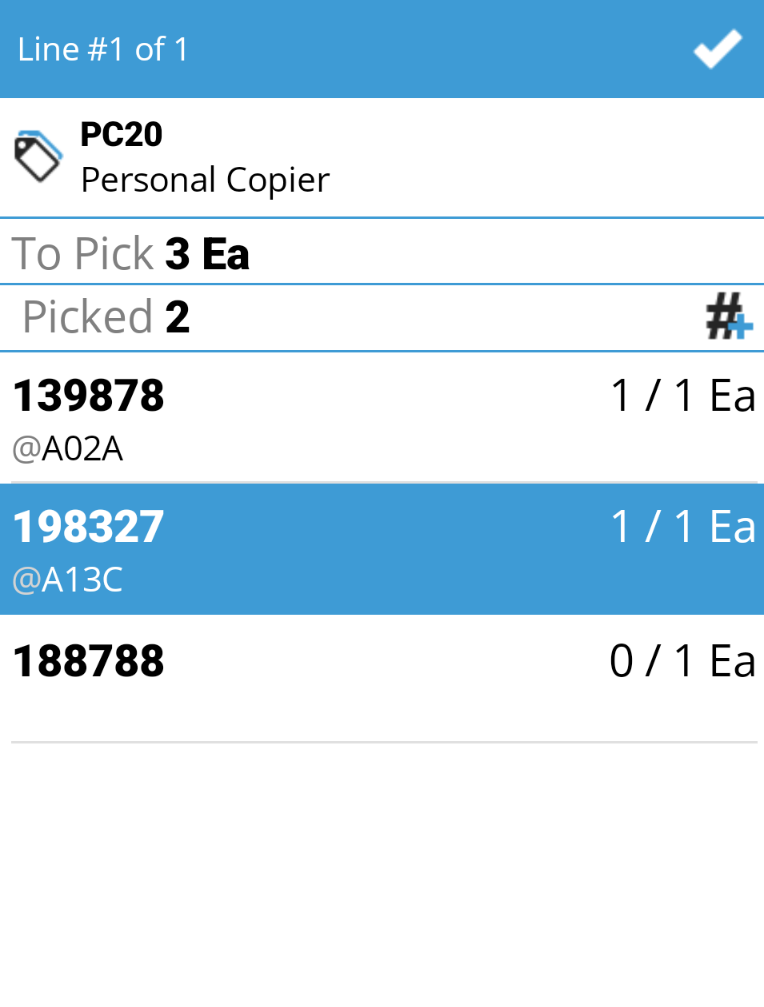
When lots are assigned on the desktop, whether manually or through Acctivate’s Auto Assign Lots feature, that decision shouldn’t get lost by the time an order reaches the warehouse floor. Acctivate Mobile now shows warehouse teams exactly which lots were pre-selected on desktop, so pickers know precisely what to pull before they even scan a barcode.
When it’s time to pick, a quick scan of the lot/serial barcode will record the pre-selected lot as picked. No second-guessing, no manual lookups, no relying on someone to relay the right lot number verbally or on a printed pick sheet.
This closes the loop between planning and execution. Whether your team relies on FEFO-driven Auto Assign Lots or manual lot selection, Acctivate Mobile keeps the warehouse in sync with the desktop, so the right lot ships every time.

Related Posts
-
Version 16 Available!
Acctivate Version 16 is available for download! Be one of the first to get your hands on exciting new features and changes, including:
-
Acctivate Query – Turn Raw Data into Answers You Can Use
Every business runs on data, but not every question you have fits neatly into a pre-built report. Maybe you need last quarter’s invoice totals broken…
-
Expanded Support for QuickBooks Online Custom Fields
Your Custom Fields, Perfectly Synced, Now Without Limits Every business tracks the details that matter most to them, whether that’s a sales rep, a project…
Call us at 817-870-1311