
Acctivate News
Built For

Let Acctivate Pick the Right Lot / Serial, Every Time
Manually choosing which lot or serial number to ship isn’t just tedious, it’s risky. Ship the wrong lot and you could send out inventory that’s closer to expiration than stock still sitting on the shelf.
Acctivate’s Assign Lot/Serial #s feature takes the guesswork out of allocation. When you assign lots on a sales order, Acctivate automatically applies a First-Expired, First-Out (FEFO) priority, so inventory closest to expiration ships first. If dates are tied, Acctivate works through a smart fallback sequence (sell-by, best-by, packaging, production, and receipt date) to break the tie, right down to picking the lot with more quantity on hand if everything else is equal.
Priority Order
- Expiration Date — earliest first
- Sell-By Date — earliest first
- Best-By Date — earliest first
- Packaging Date — earliest first
- Production Date — earliest first
- Receipt Date — earliest first (FIFO fallback)
- Available Quantity — greater quantity wins
Assign Action
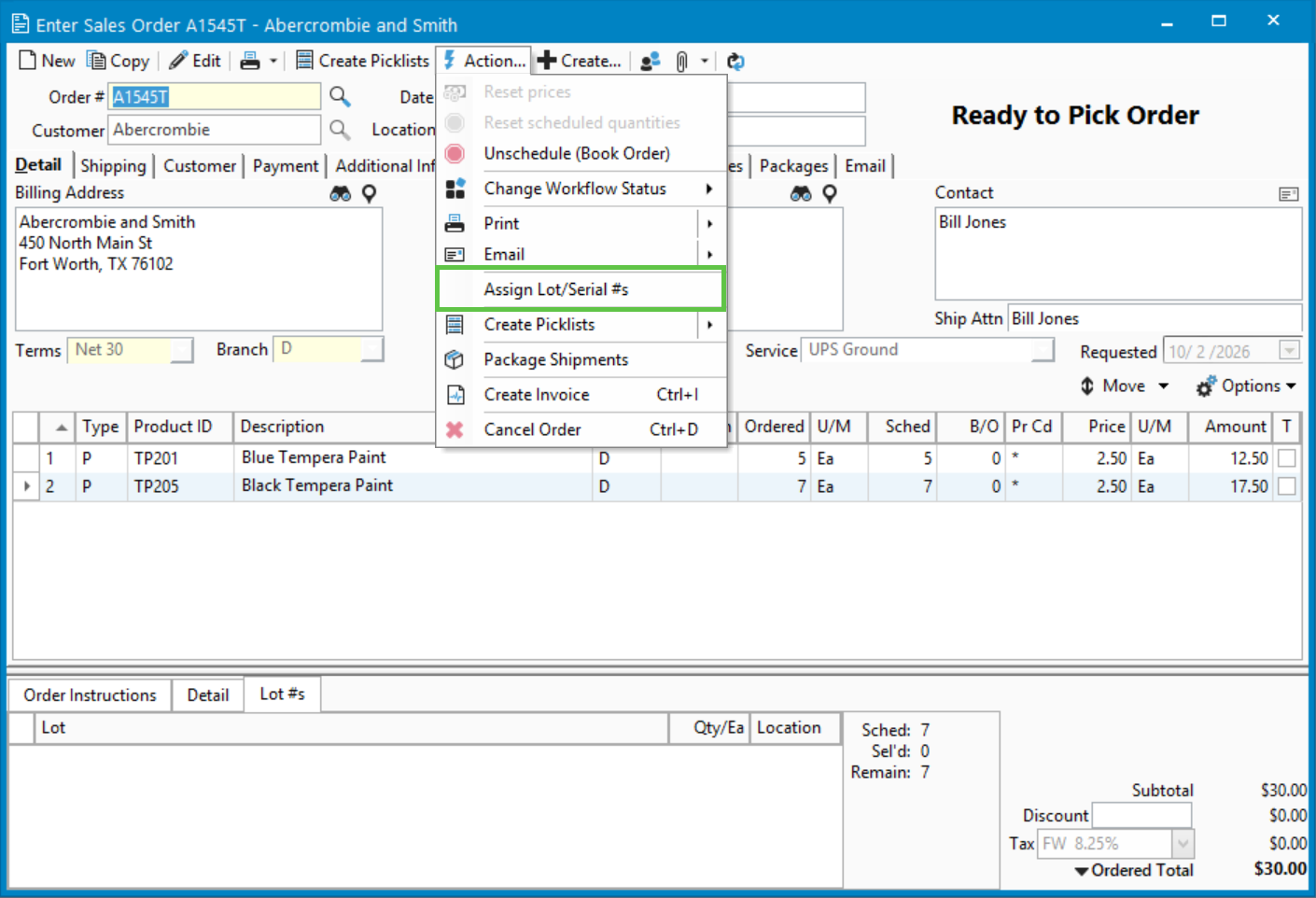
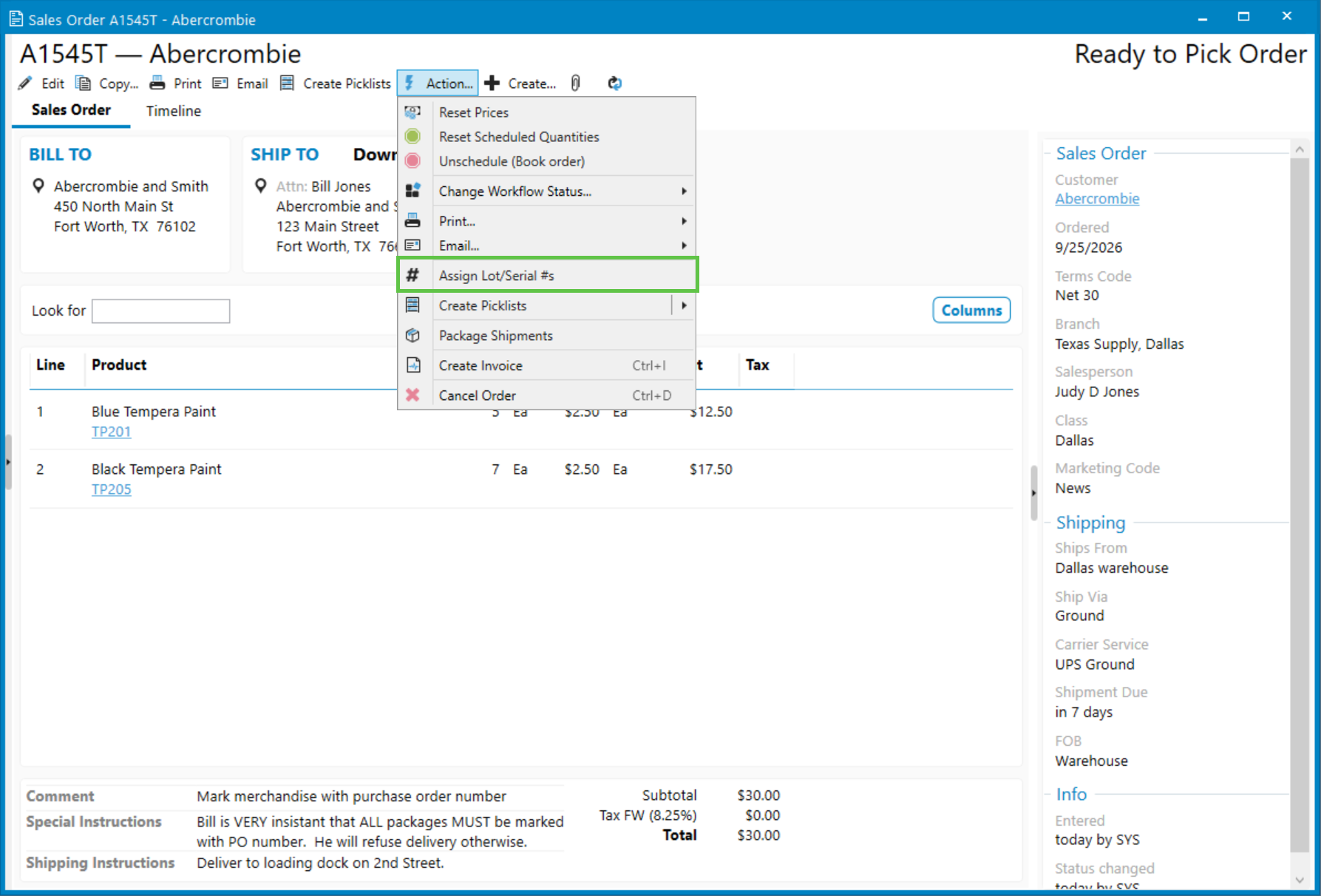
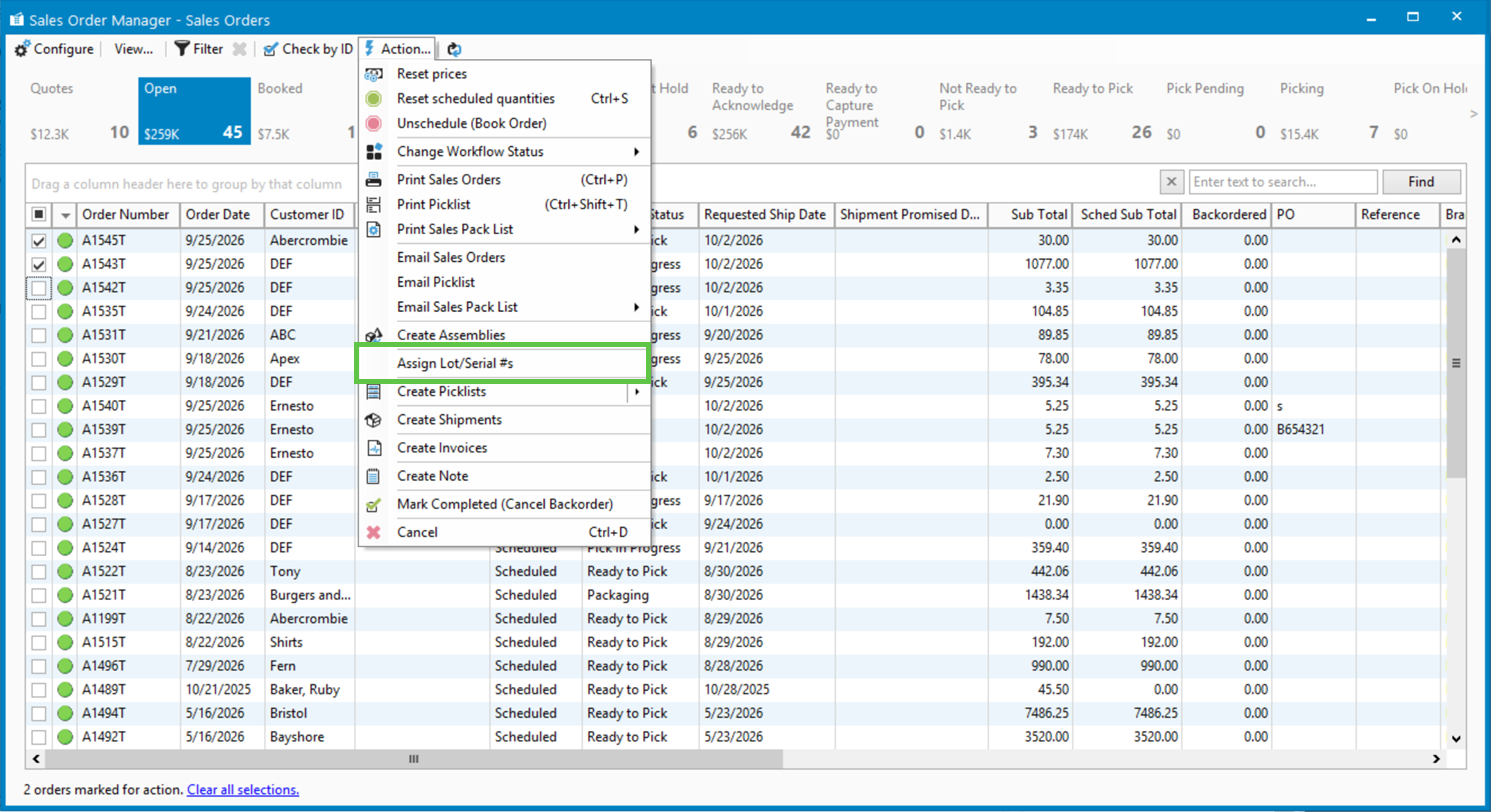
Assigning lot/serial numbers is as simple as using the Sales Order Action menu. With a single click, lot/serial numbers are assigned for each order detail line that needs them.
Expired or empty lots are automatically excluded, so your team never accidentally ships stock that shouldn’t go out the door. And because the priority logic is consistent across every product, you get reliable, audit-ready allocation without configuring rules product by product.
Whether you’re managing perishables, pharmaceuticals, or any inventory where “first expired, first out” matters, Acctivate helps you get it right automatically, every time.

Related Posts
-
Capture What Matters: Acctivate Now Syncs WooCommerce Custom Sales Order Fields
Your WooCommerce orders carry more than products and prices. Now Acctivate can bring all of it along. Acctivate’s WooCommerce integration already streamlines sales order entry…
-
Version 16 Available!
Acctivate Version 16 is available for download! Be one of the first to get your hands on exciting new features and changes, including:
-
Acctivate Query – Turn Raw Data into Answers You Can Use
Every business runs on data, but not every question you have fits neatly into a pre-built report. Maybe you need last quarter’s invoice totals broken…
Call us at 817-870-1311