
Acctivate News
Built For

Expanded Support For Lot and Serial Date Tracking
Inventory teams juggle more than expiration dates. Production dates, packaging dates, best-by dates, sell-by dates: they all matter, and they all need to be tracked accurately.
With Acctivate’s new configurable lot/serial date fields, you decide which dates matter most for your business, then track them everywhere you already work. Enable the fields you need in configuration, and they’ll show up automatically in the Edit Lot/Serial window, as optional columns on your inventory receipt grid, as optional fields in Acctivate Mobile, and in the lot dropdown found throughout various windows in Acctivate.
Whether you’re managing perishables, regulated goods, or anything with a shelf life, this update gives you the flexibility to capture exactly the data your business runs on, without cluttering the interface with fields you don’t need.
Get Started
To start tracking additional lot/serial date fields, upgrade to Acctivate Version 16.
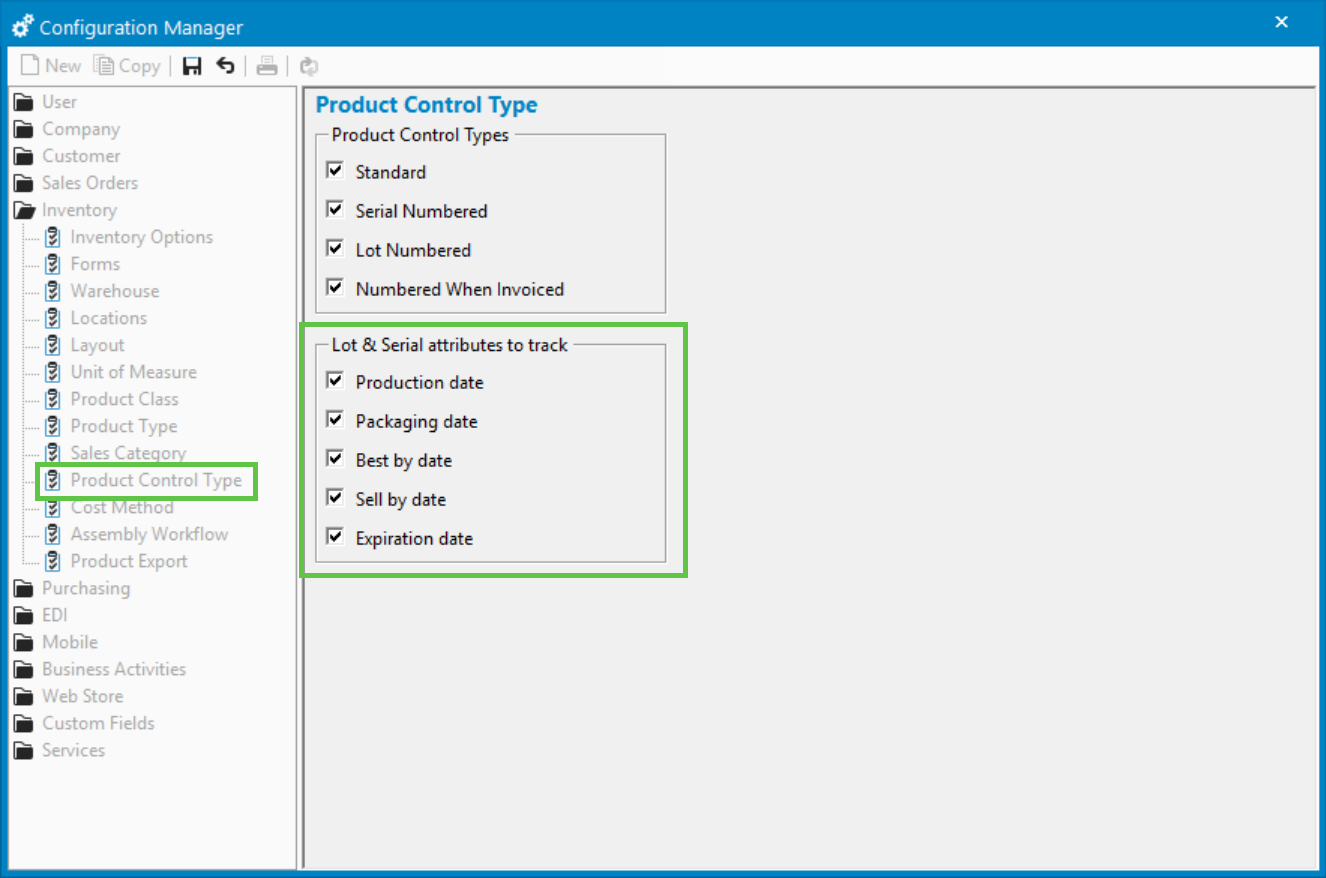
Then navigate to the Product Control Type section of the Configuration Manager and enabled the date fields that you want to track in the system.
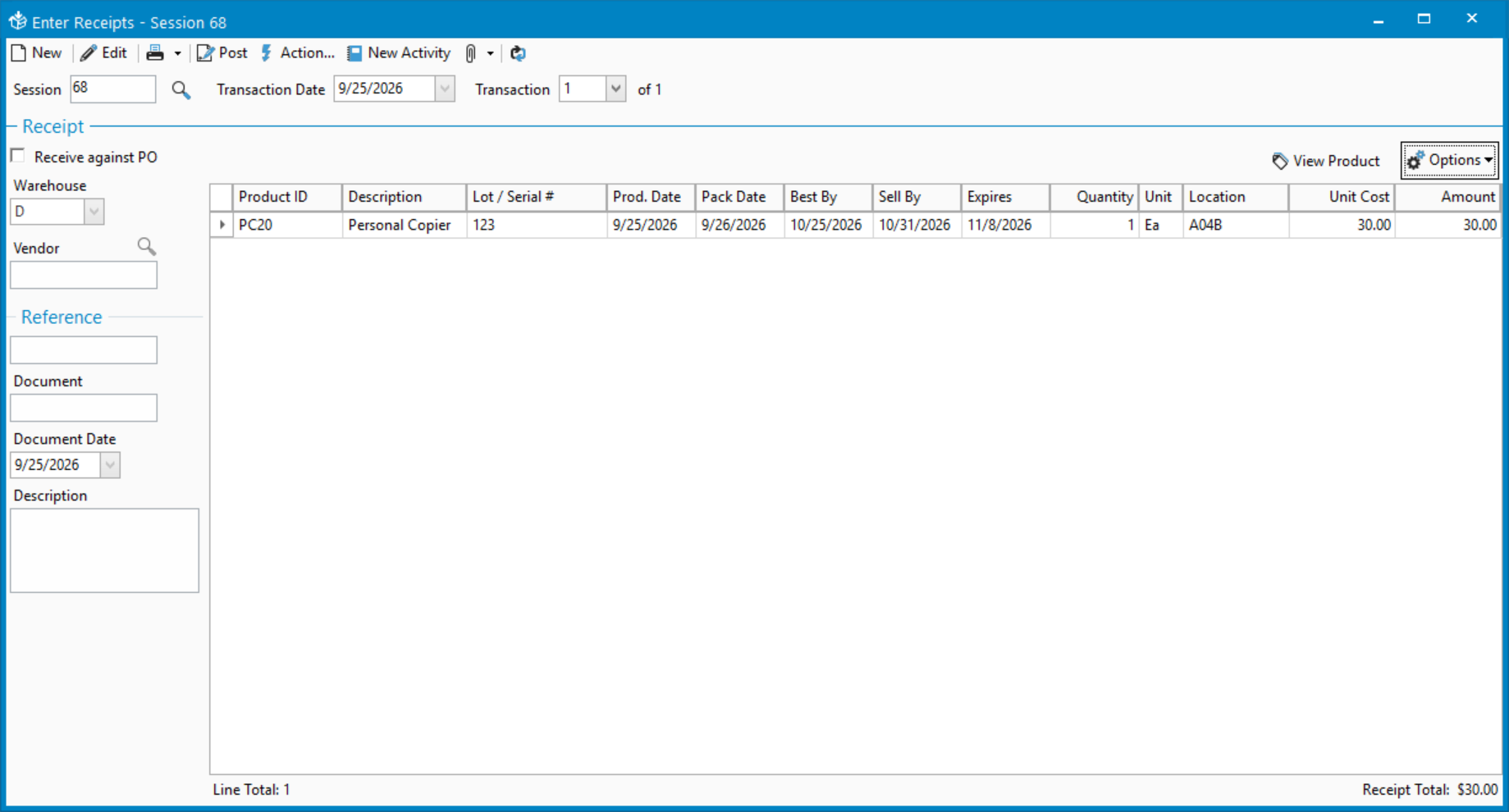
The enabled date fields will be available as optional columns in the Inventory Receipt window and other read-only grids, such as the Lot/Serial tab found in the Product window accessed from the left navigation menu in Acctivate.
Begin Tracking Lot/Serial Date Data
Use the Options menu above the grid in the Enter Receipts window to choose which date fields appear in the grid.
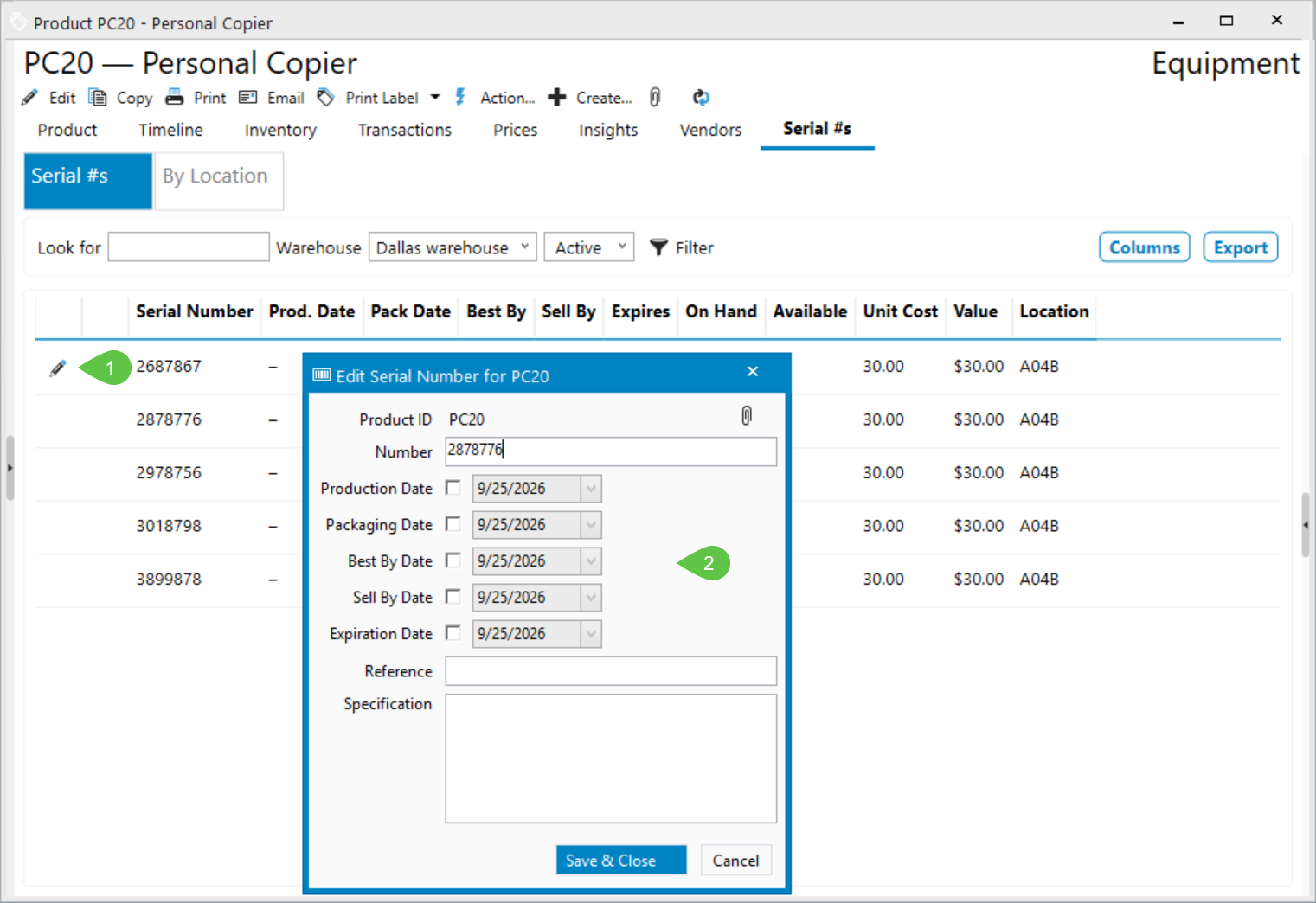
In the Lot/Serial #s tab of the Products window, use the Columns button to choose which columns appear on this tab. You can also hover over a row and click the edit button to open the Edit Lot/Serial window, where you can manage lot/serial dates for existing lot/serial numbers.
Lot number dropdowns throughout Acctivate display the enabled lot/serial dates, so you always have visibility into relevant dates when working with lot numbers.

Related Posts
-
Version 16 Available!
Acctivate Version 16 is available for download! Be one of the first to get your hands on exciting new features and changes, including:
-
Acctivate Query – Turn Raw Data into Answers You Can Use
Every business runs on data, but not every question you have fits neatly into a pre-built report. Maybe you need last quarter’s invoice totals broken…
-
Expanded Support for QuickBooks Online Custom Fields
Your Custom Fields, Perfectly Synced, Now Without Limits Every business tracks the details that matter most to them, whether that’s a sales rep, a project…
Call us at 817-870-1311