
Acctivate News
Built For

Reference Customers on Inventory Issues
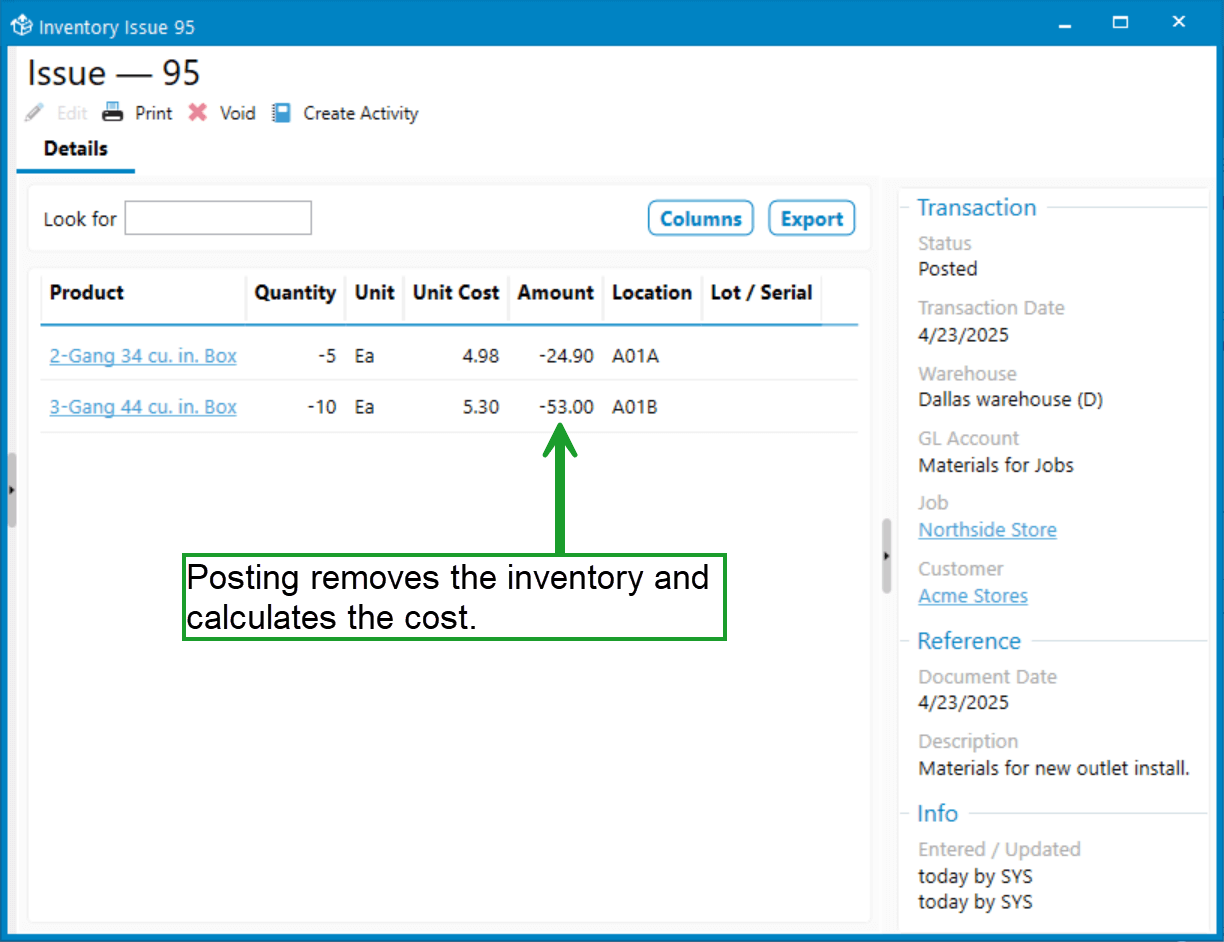
The Inventory Issue transaction in Acctivate allows users to remove inventory from stock and expense it directly to a general ledger (GL) expense account.
Common Use Cases
- Marketing & Promotions
Products given away for marketing purposes can be removed from inventory and expensed to a Marketing GL account. - Internal Use
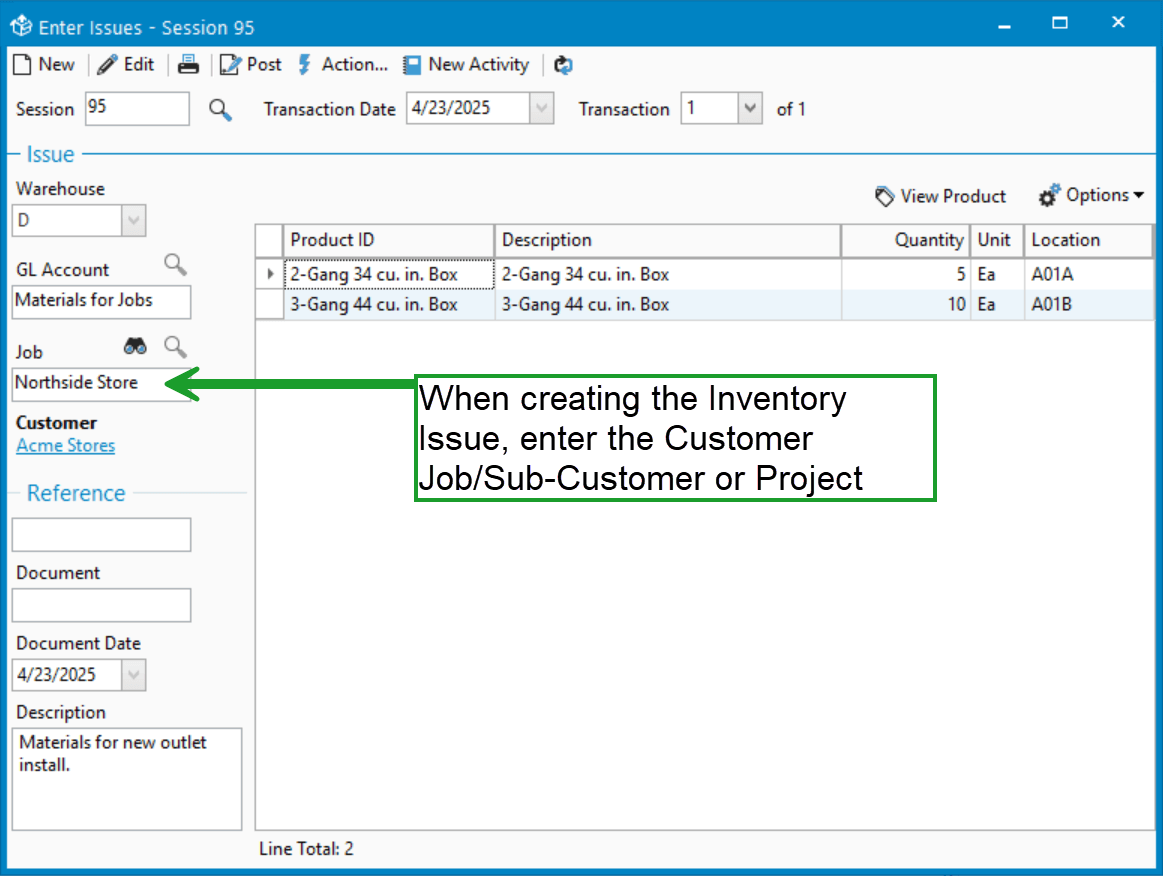
Companies may issue inventory for internal use. For example, a business that sells office supplies may use pens and paper internally and expense them to an Office Supplies GL account. - NEW – Issuing Materials for a Job/ Sub-customer or Project
Read on below to learn how Inventory Issues can reference a Customer Job or Project, making them even more powerful!
Tracking Jobs, Sub-Customers, and Projects
Acctivate’s Inventory Issues window now supports linking the transaction to a Customer, Customer Job / Sub-customer, or a Project (from QuickBooks Online).
By linking an Inventory Issue to one of these, users can take advantage of job costing and project tracking features available in QuickBooks.
Example:
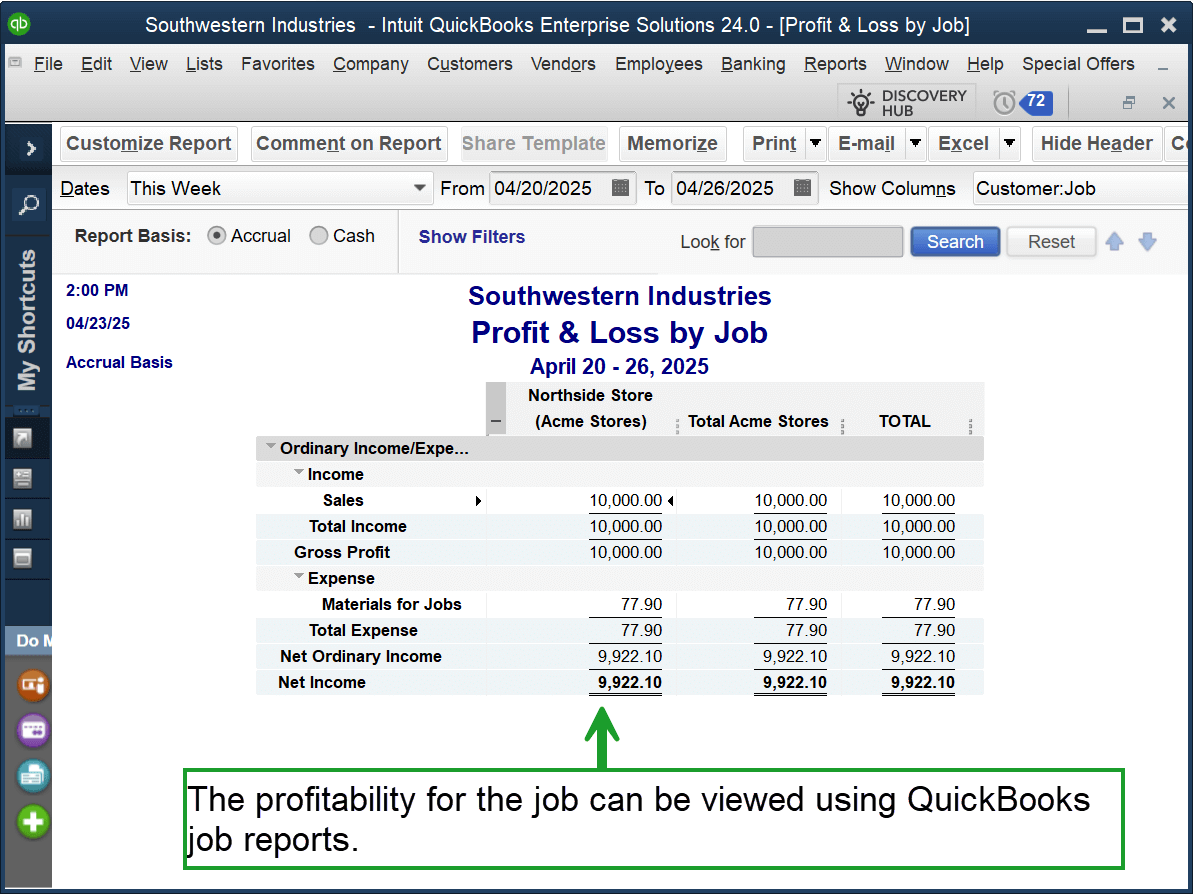
A building supply company issues a $10,000 invoice to Acme Stores:Northside Store for store refurbishments. As construction progresses, materials are issued from inventory and expensed to a Materials for Jobs account. Each Inventory Issue is also linked to the Northside Store job.
This allows real-time tracking of profitability:
- In QuickBooks Online, review Customer reports or the Projects page.
- In QuickBooks Desktop, use the Customer Job reports.

Related Posts
-
Version 15 Now Available!
Acctivate Version 15 is available for download as a Preview! Be one of the first to get your hands on exciting new features and changes,…
-
Automated Sales Tax with QuickBooks Online
COMING IN VERSION 15 We’re excited to introduce a powerful new enhancement to Acctivate — our QuickBooks Online Automated Sales Tax (AST) integration. This new…
-
New Streamlined Edit Customer window
COMING IN VERSION 15 Acctivate’s redesigned Edit Customer window delivers a streamlined interface for creating and managing customer information. By removing read-only data — which…
Call us at 817-870-1311